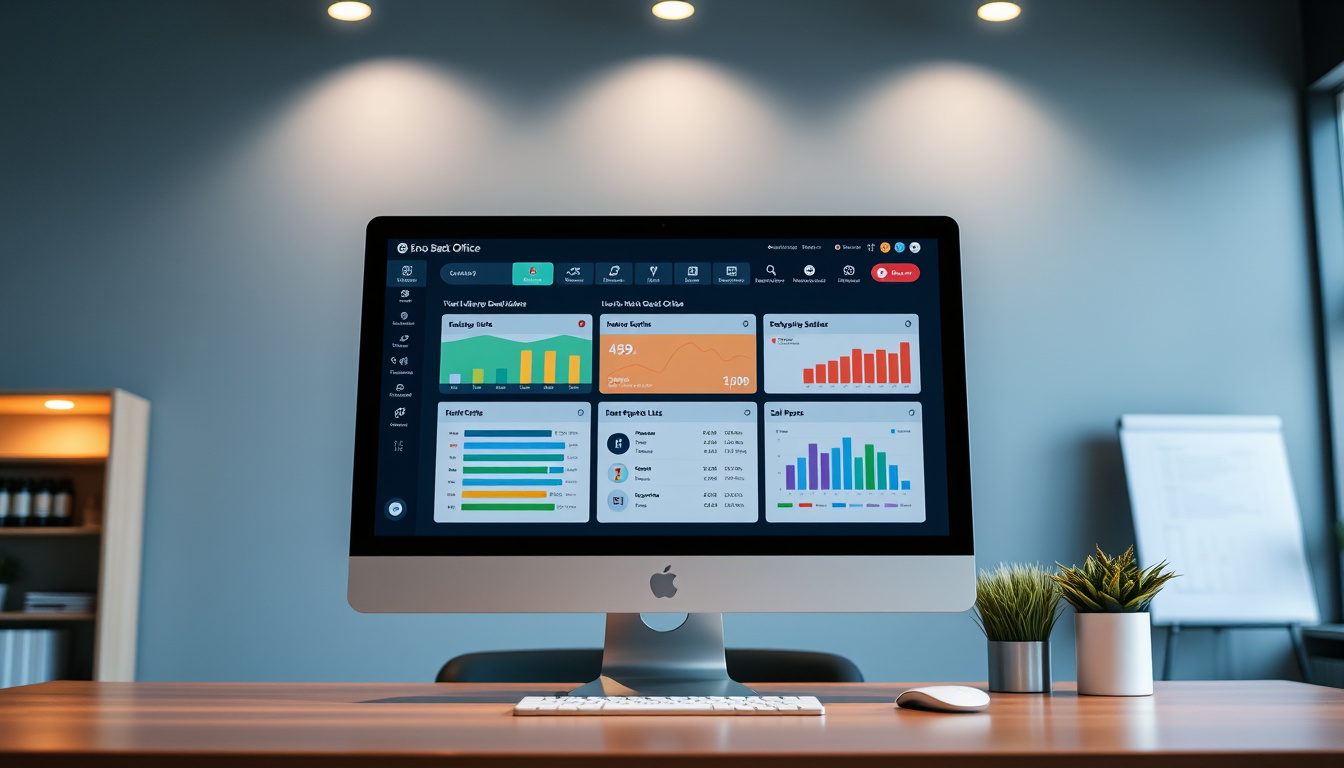

Epos Now Back Office: Complete Guide to Features and Access
The Epos Now Back Office serves as the central nervous system of the company’s cloud-based point-of-sale ecosystem. It is a web-based management portal designed for retail and hospitality businesses that need real-time visibility into operations ranging from stock levels to staff performance.
Unlike traditional on-premise POS systems, this back office operates entirely in the cloud. That means business owners, managers, and authorized staff can access dashboards, reports, and configuration tools from any device with an internet connection. The platform positions itself as a comprehensive solution for businesses seeking to reduce administrative overhead while maintaining tight control over inventory and sales data.
For growing businesses, the appeal lies in combining multiple management functions—inventory tracking, reporting, customer relationship tools—into a single interface. Users report saving an average of 10 hours per month on administrative tasks once the system is configured, according to figures cited on the company’s official site.
What Is Epos Now Back Office and How Does It Work?
The Epos Now Back Office functions as the administrative core of the broader POS ecosystem. When a transaction occurs at a connected terminal, that data flows immediately into the back office where it becomes available for analysis, reporting, and action. This real-time synchronization eliminates the lag typical of manual or batch-upload systems.
Business operators use the back office to configure how their POS behaves, monitor daily performance, manage product catalogues, and oversee staff activities. The interface is organized around a main dashboard that surfaces critical metrics at a glance—sales breakdowns, top-selling products, transaction volumes, and company-wide performance indicators.
Setup begins with entering company details, selecting country-specific settings, and configuring staff accounts. From there, users can customize the POS layout, define table layouts for hospitality venues, and establish status-tracking rules. The entire process can be completed directly within the back office portal or through the connected POS hardware itself, depending on the feature being configured.
- The back office updates inventory counts automatically as sales are processed, reducing the risk of overselling.
- Customizable reporting filters allow managers to drill down by transaction type, location, individual server, or time period.
- The system supports bulk product imports through the Epos Now AppStore, a feature users consider essential for initial catalogue setup.
- AI-powered margin analysis via Sidekick draws on both internal sales data and external market information to flag underperforming products.
- Low-stock alerts can be configured to trigger notifications before inventory runs critically short.
- Customer invoicing and purchase order management are integrated, removing the need for separate accounting workflows in many cases.
- Support is available around the clock through an AI chatbot, with live chat offered during business hours.
| Attribute | Detail |
|---|---|
| Developer | Epos Now |
| Type | Cloud-based back-office management software |
| Primary Functions | Inventory management, reporting, staff oversight, CRM |
| Access Platforms | Web browser, dedicated app |
| Pricing Model | Subscription, bundled with hardware packages |
| Customer Support | 24/7 AI chatbot, phone, email, live chat (9am–6pm) |
| Documentation | 46+ back office guides via support portal |
| Third-Party Integrations | 100+ applications including QuickBooks, Xero, Deputy |
How to Access and Log Into Epos Now Back Office
Understanding Cloud-Based Access
Because Epos Now operates entirely in the cloud, there is no local software installation required to access the back office. Users navigate to the Epos Now website and sign in through the standard authentication portal. Once logged in, the full suite of management tools becomes available through the web interface.
The cloud architecture means that access is not restricted to a specific computer or physical location. Business owners can check real-time sales data from a phone while traveling, review staff performance from a tablet at home, or manage inventory from any web-enabled device in the world. This flexibility distinguishes the platform from older POS solutions that tie administrative access to the physical premises where hardware is installed.
Getting Started After Onboarding
The initial setup experience is designed to be personalized. During installation, Epos Now representatives assist with configuring company details, staff accounts, and country-specific settings. This onboarding process typically takes a matter of minutes for basic configuration, though businesses with large product catalogues or complex table layouts may require additional time.
After onboarding, users are encouraged to explore the back office at their own pace. A video tutorial available through the company’s YouTube channel demonstrates dashboard navigation, custom settings, and how to generate reports. The support portal further offers structured guides organized by topic, including dedicated sections for back office operations and front-till software.
The back office does not require a dedicated app installation for standard use. Any modern web browser on desktop, tablet, or mobile devices can connect directly through the Epos Now login portal, provided the user has valid credentials and an active subscription.
Key Features of the Epos Now Back Office
Inventory Management Tools
Inventory control within the back office goes beyond simple stock counts. The system supports bulk importing of product data through the AppStore, which proves particularly valuable during initial setup or when refreshing an entire catalogue. Live inventory updates occur in real time as transactions are processed at connected terminals.
Managers can search and filter stock by category, SKU, barcode, or supplier name. Stocktaking can be performed directly through the back office interface, at the till point, or via barcode scanning—a flexibility that accommodates both small retail counters and large warehouse environments. When stock falls below a defined threshold, automated alerts notify the appropriate staff members so reordering can be initiated promptly.
A notable addition is the Sidekick feature, which applies artificial intelligence to margin analysis. It combines internal sales performance with external data to surface products that may be underpriced or underperforming in terms of profitability. This AI-assisted capability distinguishes the platform from basic inventory trackers that offer only raw quantity data.
Reporting and Analytics
The reporting engine within the back office generates insights across several dimensions of business performance. Sales reports can be filtered by transaction type, physical location, or individual server—particularly useful in hospitality environments where accountability and tip allocation matter. Profit-cost margin reports help operators understand true profitability beyond raw revenue figures.
Customer data reports track purchase histories, new account sign-ups, and credit balances, supporting loyalty programs and targeted marketing. Inventory turnover reports reveal which items move quickly and which sit without selling, informing purchasing decisions. All reports can be exported to Excel with a single click, and recent platform updates have added more detailed analytics covering sales trends, inventory turnover rates, and customer behavior patterns.
Staff and Table Management
The back office includes dedicated tools for managing employees and, for hospitality operators, physical table layouts. Staff accounts can be created, assigned permission levels, and monitored for performance directly through the portal. Server-level reporting allows managers to track individual sales contributions and identify training needs or high performers.
Table management features let hospitality venues customize the size, labels, and operational status of each table directly from the POS or back office. Order management integrates with the floor layout so staff can track which tables are occupied, waiting for drinks, or ready for billing—without switching between multiple applications. A limitation worth noting is that the system does not currently support automatic tip sharing across staff members, which some hospitality operators may find restrictive.
When importing large product catalogues initially, use the AppStore integration rather than manual entry. Users report that bulk importing through the AppStore is significantly faster and reduces data entry errors compared to building inventories item by item within the back office interface.
Epos Now Back Office Setup and Customization Guide
Initial Configuration Steps
The first time a business activates its Epos Now system, the setup tab in the back office guides users through essential configuration. This includes entering company information, selecting the country of operation (which affects tax rules, currency, and regulatory compliance), and establishing the initial staff account structure.
From the back office, operators can customize the POS layout to match their workflow. For retail environments, this might involve assigning product categories to prominent screen positions or setting up quick-access buttons for high-volume items. For hospitality venues, table layouts are defined with specific dimensions and labels so the floor plan is accurately reflected at the terminal.
Integrating Payments and Third-Party Applications
Payment processing integration is configured during setup and can be adjusted later through the back office. The platform supports a range of payment terminals, including the Air card terminal, and recent additions to the AppStore have expanded accounting and e-commerce connections. Businesses can connect accounting software such as QuickBooks or Xero, team scheduling tools like Deputy, CRM platforms, and delivery aggregators.
These integrations are managed from the AppStore section of the back office, where operators can browse available applications, read integration requirements, and authorize connections. The ability to draw in data from accounting platforms and push sales information back out reduces double-handling and ensures financial records remain current.
Learning the Platform
Epos Now provides multiple resources for learning the back office. A dedicated video tutorial demonstrates dashboard navigation, custom settings configuration, and report generation. The support portal hosts over 46 back office guides and 21 getting-started articles, covering topics from basic navigation to specific workflows like customer invoicing and purchase order management.
Operators who prefer structured learning can work through the user manual sequentially, while those with specific problems can search the support knowledge base by topic. The combination of video, written guides, and searchable articles accommodates different learning preferences.
Bulk importing of inventory data, while supported, has been identified by some users as a feature requiring additional guidance. Epos Now recommends using the AppStore integration or the built-in help bot when performing large-scale product imports to avoid data formatting issues.
Recent Updates and Platform Improvements
Epos Now has released several meaningful enhancements to the back office in recent review cycles. These updates reflect both user feedback and broader trends in cloud-based retail technology. The most notable changes fall into three categories: analytics depth, integration breadth, and interface refinement.
- Analytics engine expanded to include sales trend visualization, inventory turnover analysis, and customer behavior segmentation.
- New third-party application integrations added to the AppStore, strengthening connections with accounting, e-commerce, and CRM platforms.
- User interface redesigned for improved compatibility with mobile devices and tablets, addressing earlier complaints about desktop-only optimization.
- Reporting filters enhanced to support more granular segmentation by location, time period, and staff member.
- Artificial intelligence capabilities through Sidekick now incorporate external market data alongside internal sales figures for margin analysis.
These changes suggest a development trajectory focused on deepening analytical value rather than adding purely cosmetic features. For businesses that rely heavily on data-driven decisions, the expanded reporting and AI-assisted margin tools represent tangible operational benefits.
What Is Confirmed vs. What Remains Unclear
Transparency about what is known and what is not helps readers make informed decisions. The following comparison summarizes established facts alongside areas where information is limited or unavailable.
| Established Information | Information That Remains Unclear |
|---|---|
| Epos Now back office is fully cloud-based and accessed via web browser or app. | Specific pricing tiers are not publicly listed; costs appear to vary by business size and hardware selection. |
| Real-time inventory updates synchronize across all connected terminals automatically. | The exact number of concurrent users supported per subscription tier is not documented publicly. |
| The platform includes inventory management, reporting, CRM, purchase orders, and customer invoicing. | Data retention periods and export limits for archived reports are not clearly specified in public documentation. |
| Over 100 third-party integrations are available through the AppStore. | The specific data fields shared with third-party apps and the privacy implications of those connections are not fully detailed. |
| Support is available 24/7 via AI chatbot, with live chat during business hours. | Whether the AI chatbot can resolve complex technical issues or primarily handles basic queries is not publicly confirmed. |
| The system saves users an average of 10 hours monthly on administrative tasks, according to company statements. | Whether this figure is based on controlled studies, user surveys, or internal estimates is not disclosed. |
Epos Now Back Office in Context
When evaluated against competing POS back-office solutions, Epos Now occupies a distinctive position. It offers stronger inventory controls than many competitors—particularly those designed primarily for hospitality rather than retail. The platform’s bulk import capability, live stock updates, low-stock alerts, and AI-assisted margin analysis via Sidekick collectively represent a more comprehensive inventory toolkit than what Toast or basic Android-only systems provide.
In terms of reporting, Epos Now holds an advantage over Lightspeed and Clover by including gratuity tracking—a feature that matters significantly for hospitality operators. While TouchBistro offers a larger catalogue of individual reports (approximately 50 or more), several users and reviewers note that Epos Now’s reporting feels smoother and more intuitive even if the total count is lower.
Table management stands out as another differentiator. Unlike PayPal POS, which lacks table status features entirely, Epos Now allows direct customization and status tracking from the back office. This makes the platform more suitable for restaurants, bars, and cafés where floor organization affects service quality and table turnover.
The integration ecosystem—now exceeding 100 applications—fills gaps that might otherwise require separate software purchases. For businesses already using QuickBooks for accounting or Deputy for staff scheduling, the native integration removes the need for manual data re-entry. This ecosystem approach positions Epos Now above basic free POS systems that offer limited or no third-party connectivity.
However, the platform is not without trade-offs. Businesses specifically requiring automatic tip sharing across staff members may find Epos Now’s feature set insufficient. Similarly, organizations that prioritize having the absolute maximum number of individual report types may prefer TouchBistro. These limitations are relatively niche but worth acknowledging during the evaluation process.
User Reviews, Ratings, and Source Feedback
Aggregated reviews from business operators provide insight into how the back office performs in real-world environments. Users frequently highlight the intuitive navigation of the back office as a strength, noting that accessing statistics and identifying best-selling products requires minimal training. The inventory management module receives particular praise, with one reviewer noting it is “second to none” among comparable systems.
“The back office navigation is incredibly straightforward. I can pull up sales stats, check best sellers, and review staff performance without calling support. It genuinely saves time compared to what we were using before.”
— Reviewer via Software Advice, 2025
Reporting quality draws consistently positive remarks. Users describe the report generation process as smooth and intuitive, with the one-click Excel export function cited as a practical time saver. Table management features are rated favorably compared to competitors like PayPal POS and Toast, particularly for operators who need real-time floor status visibility.
“Reporting is where Epos Now really shines. Everything is filterable, the exports are clean, and the system updates fast enough that I can rely on it for daily decisions, not just monthly reviews.”
— Reviewer via Tech.co, 2025
Criticisms center on a smaller number of usability issues. Bulk inventory importing is flagged as requiring additional guidance, with some users recommending the AppStore integration over manual entry. The lack of automatic tip sharing is noted as a gap for certain hospitality workflows. A small number of reviewers also observe that the total count of available reports is lower than TouchBistro’s catalogue, though this is balanced by the system’s overall ease of use.
Support responsiveness receives positive marks overall. Reviewers note that live chat and phone support provide faster response times than some competing platforms, particularly compared to Clover. The 24/7 AI chatbot is available continuously, though complex technical issues may require escalation to human support staff.
Summary and Next Steps
The Epos Now Back Office provides a functional, cloud-based management hub for retail and hospitality businesses seeking to consolidate inventory, reporting, and staff oversight into a single interface. Its real-time data synchronization, AI-assisted margin analysis, and broad integration ecosystem represent meaningful advantages over basic POS systems. For operators evaluating options, the platform is best suited to businesses that need flexible configuration, multi-location management, and strong inventory controls.
Those interested in exploring further can review the official Epos Now website for current product information or consult the support portal for technical documentation. Businesses evaluating profitability metrics may also find it useful to explore related resources on Gross Profit Margin Formula – Step-by-Step Calculation Guide to contextualize the reporting data available through the back office.
Frequently Asked Questions
What is the Epos Now Back Office used for?
The Epos Now Back Office serves as the central management portal for monitoring sales, managing inventory, generating reports, overseeing staff performance, and configuring POS settings across a business’s operations.
How do I log into the Epos Now Back Office?
Access the Epos Now Back Office by visiting the official login portal through a web browser on any internet-connected device. Valid credentials issued during the onboarding process are required.
Can I access the back office from a mobile device?
Yes. The cloud-based architecture allows access from any modern web browser on desktop, tablet, or mobile devices without requiring software installation.
Does the back office support inventory management?
Yes. The back office includes advanced inventory controls with live stock updates, bulk importing, low-stock alerts, barcode scanning, and AI-powered margin analysis through Sidekick.
What integrations are available through the Epos Now Back Office?
The platform integrates with over 100 third-party applications, including accounting tools like QuickBooks and Xero, team management software like Deputy, payment terminals, e-commerce platforms, and delivery services.
Is Epos Now suitable for both retail and hospitality businesses?
Yes. The platform is designed for both retail and hospitality environments, with features including table management, staff tracking, gratuity reporting, and customizable POS layouts for each sector.
How much does the Epos Now Back Office cost?
Specific pricing tiers are not publicly listed. Costs appear to vary based on the selected hardware package, subscription level, and business requirements. Prospective buyers are encouraged to contact Epos Now directly for a tailored quote.
What support options are available?
Support is accessible 24/7 through an AI chatbot, with phone, email, and live chat available during business hours. Personalized onboarding and training are included as part of the setup process.
Can I generate profit and margin reports?
Yes. The reporting module produces profit-cost margin reports, gratuity tracking, sales breakdowns by location or staff member, and inventory turnover analysis. All reports can be exported to Excel.
How does Epos Now compare to other POS systems?
Epos Now offers stronger inventory controls and more integrations than many competitors, with superior table management features for hospitality venues. It includes gratuity reporting that competitors like Lightspeed and Clover lack, though TouchBistro provides a larger catalogue of individual reports.
Related stories





Thomas Grant covers Westminster, councils, policy and government affairs across the UK.